Weighting my own darkroom with Lightroom
Representing & executing personal photoediting taste
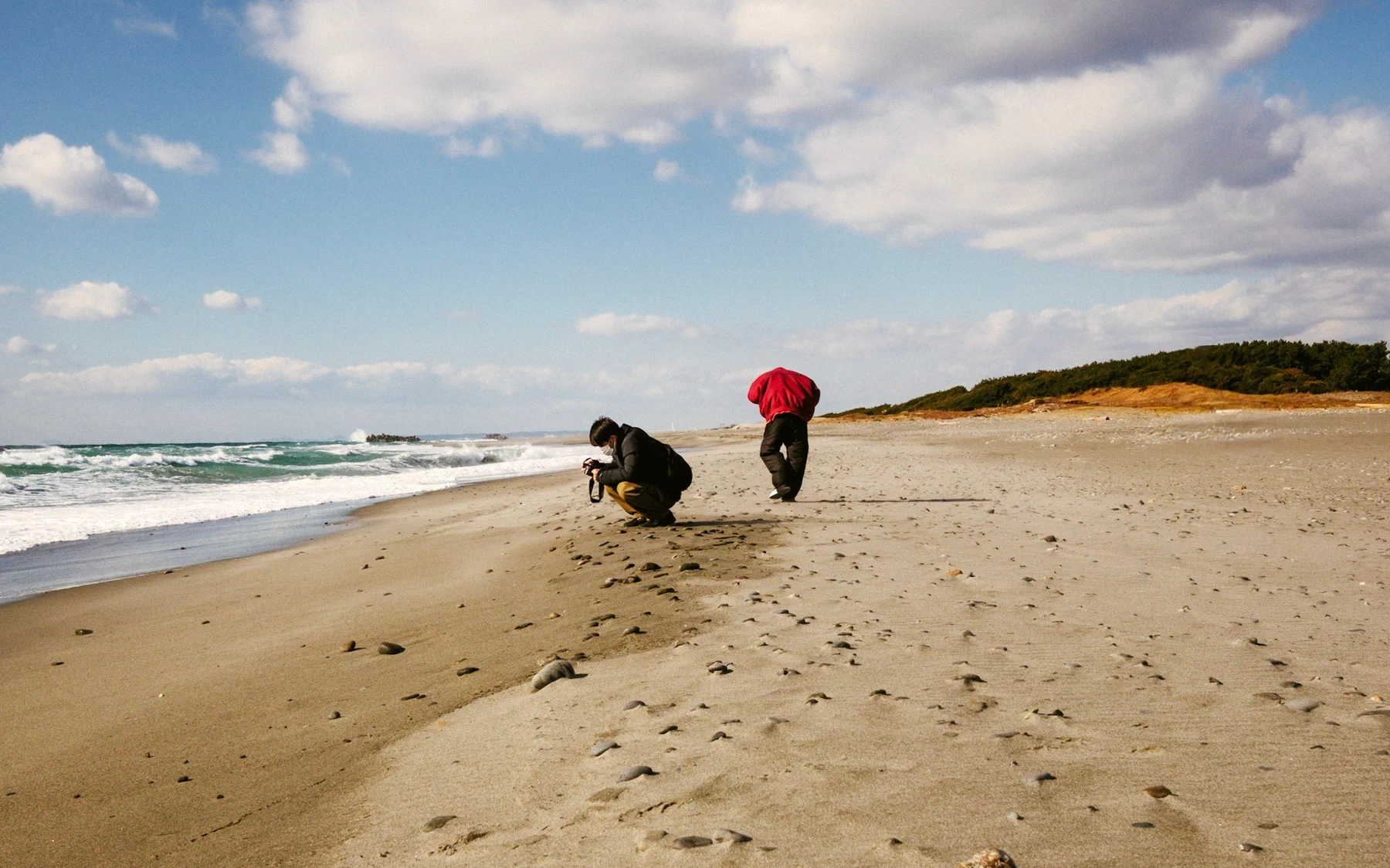
Over the past two years, I’ve shot about 30,000 RAW photos — mostly street & travel photography across Japan — and my Lightroom catalog holds ~1,200 edits that I spent at least some time and thought on (even if many of them were ultimately not published). For the past few months, I’ve been running a steady stream of agent-driven experiments on that archive, with the question: how much of my taste, habits, and vision could be taught to a small local model just from these edit-RAW pairs, with very little else from me (i.e., no manual data labeling)?
Work is still very much ongoing, but two clean-enough preliminary results:
Recognizing my edits vs. others: works well
Here are two edits of the same RAW; only one of them is mine. Which is it?
To generate a reasonably-difficult set of decoys, I either pushed my own edit outside of my range — bright-flatter (+1.5 EV, −50 contrast, −40 clarity), or warm-louder (white balance ×1.35, +30 tint, +40 saturation and vibrance) — or just slapped on one of Adobe’s built-in presets + auto-tone.
A linear critic on frozen SigLIP 2 embeddings plus a handful of color statistics was trained on pairs built this way from 99 of my photos.
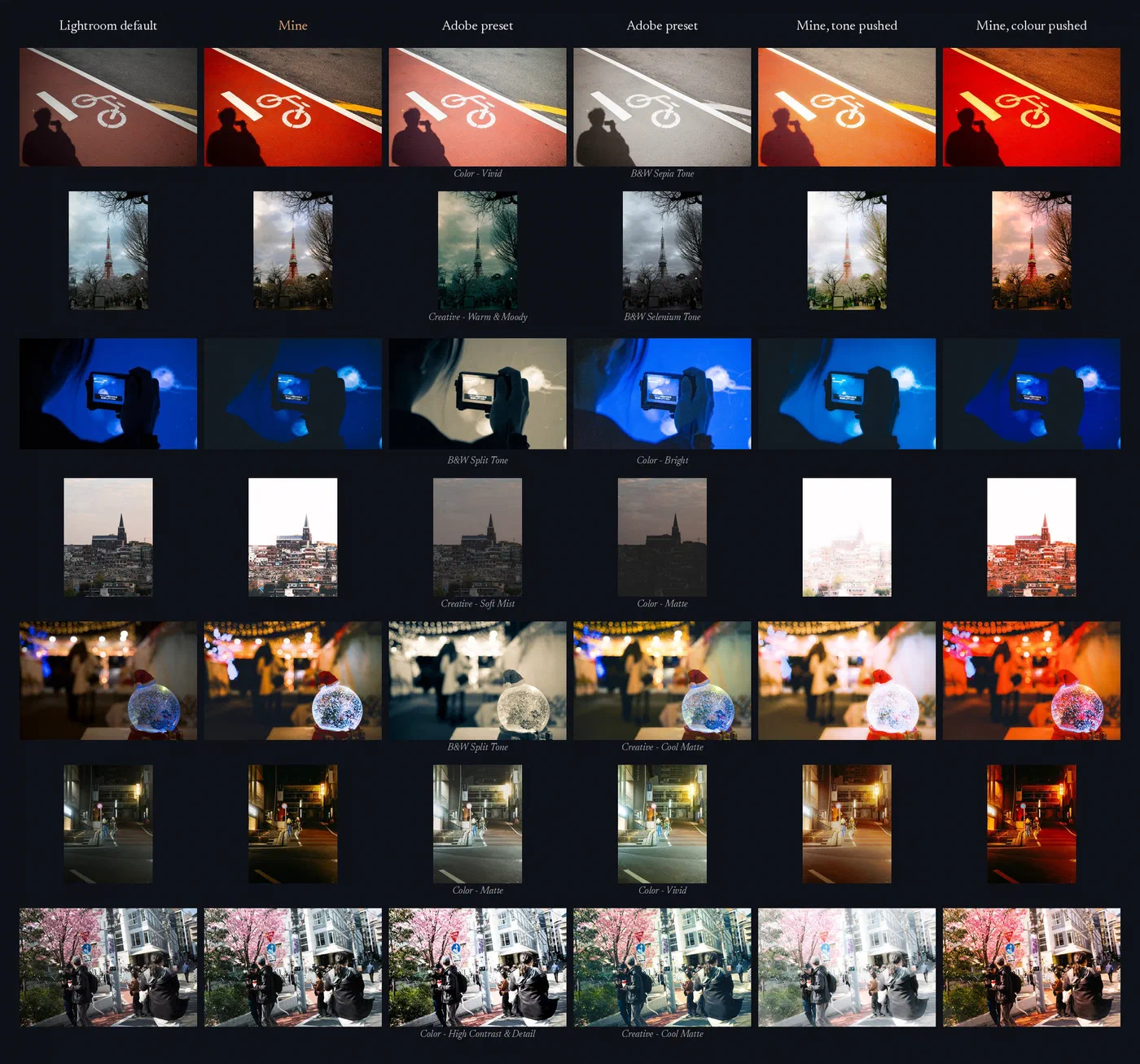
On twenty photos the critic had never seen, it picked my edit 88% of the time against the Adobe presets, 95% against tone pushes, and 94% against color pushes. When shown the same pairs + given a contact sheet with 12 of my edits as style reference, a solid cloud model such as Claude Haiku 5.5 fared far worse, landing basically at coinflip.
(Using better/stronger models for this test was considered but skipped, as this project is largely a practical one — the research goes towards building something I’ll actually use — and I wouldn’t be willing to blow tokens for batch visual processing on anything beyond the Haiku/GPT-6 Luna tier.)
Even on single-picture tests, the cloud models fared poorly:
| Judged possibly mine | Haiku | Luna |
|---|---|---|
| My own edits | 44% | 100% |
| Adobe presets | 47% | 79% |
| Mine, but tone pushed | 72% | 89% |
| Mine, but color pushed | 86% | 100% |
| Unedited LR default | 50% | 94% |
| Tells mine apart (AUC) | 0.43 | 0.56 |
Judged = yes in both presentation orders. AUC 0.5 = chance. Both Haiku and Luna checked the same 100 test pictures.
Haiku seemed to lean heavily towards the exaggerated (and in my opinion, bad) versions of my edits; Luna basically said yes to nearly everything. In scientific terms, of course this was an uneven, nowhere-near-comprehensive comparison. But it was a fiercely practical one in the sense that 1) I obviously won’t get to fine-tune Haiku or Luna on my photos, and 2) if far more reference photos were provided at startup, yes perhaps judgment may improve but token costs would also balloon. In any case, with a small local model performing already so well, and so quickly (grading 2,160 pictures in 7.5 minutes), the direction of further work was made clear.
The next challenge: which of my palettes/styles/approaches suits a given photo?
Producing valid LR edits, works well; my edits: not yet
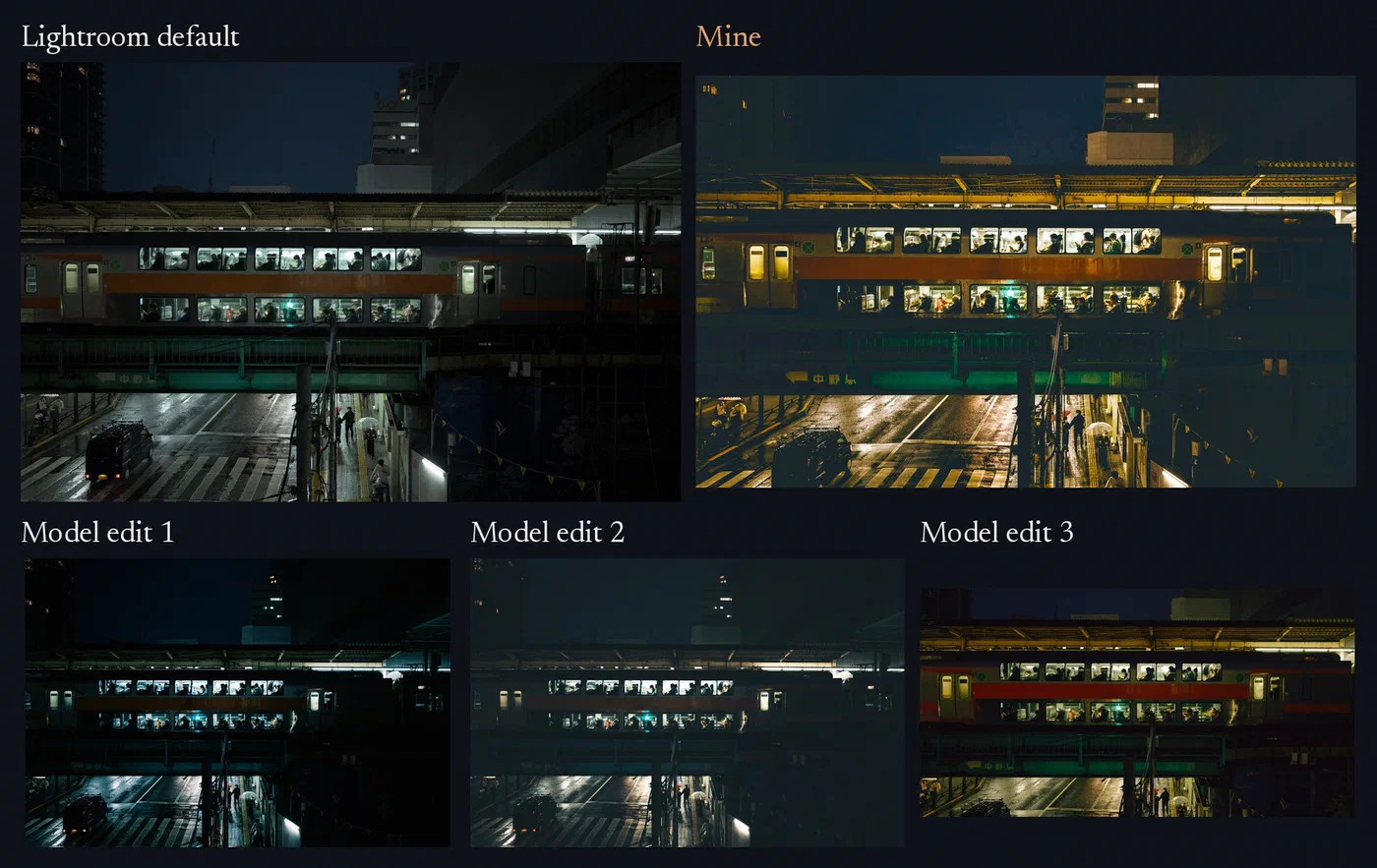
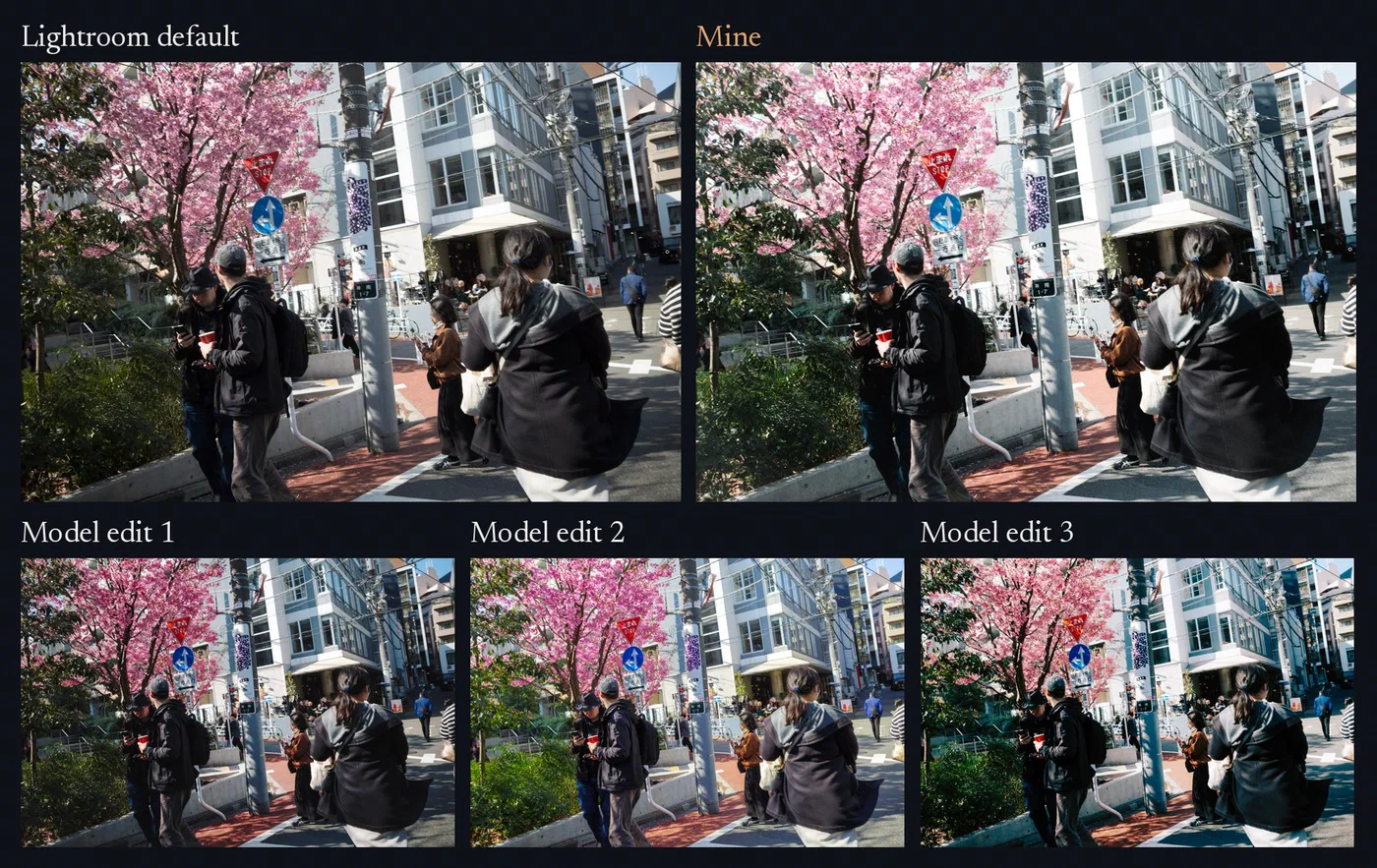
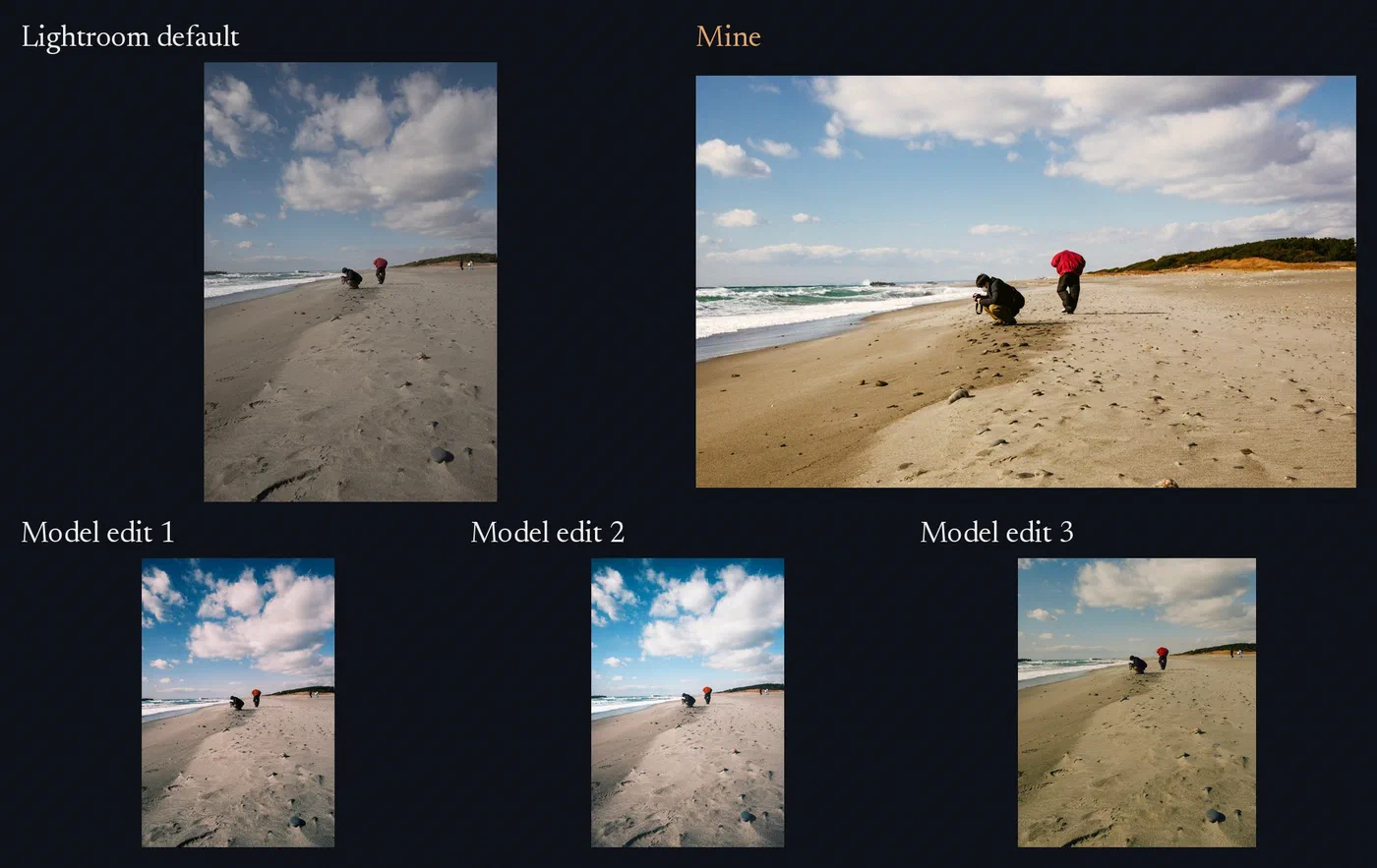
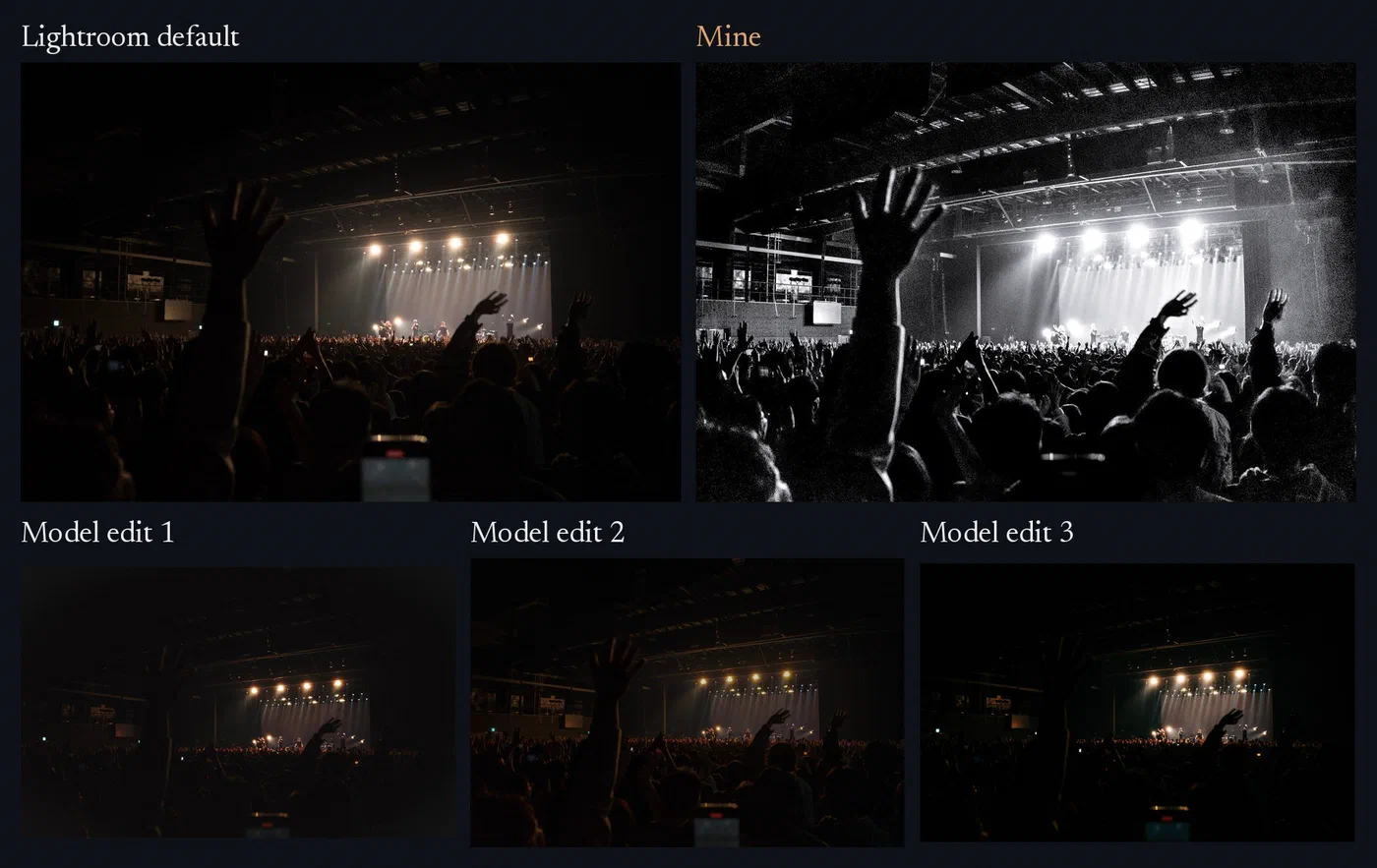
Here’s a RAW file of mine; propose a few distinct edits in my style.
Qwen3-VL 8B (4-bit, MLX) was given a LoRA trained on ~300 of my complete edits and made to write an entire LR edit (crop/orientation, profile, tone, curves, color grading, local masks, grain, vignette, etc). Written edits are sent through Adobe’s Lightroom API and come back as real LR renders, not approximations of one.
| Setup | Valid |
|---|---|
| Untrained, format in the prompt | 2 of 75 |
| Fine-tuned | 70 of 75 |
| Fine-tuned + grammar, unseen trips | 441 of 450 |
| Untrained + grammar (small test) | 13 of 16 |
(Grammar-constraining only admits settings LR will actually accept.)
As seen in the last row, grammar-constraining does carry part of the load, but the untrained model’s “valid” edits often look clearly broken, with nonsensical flattened highlights and pale veils. The models that were both fine-tuned and grammar-constrained make fewer such missteps, and are also more reliable: 441/450 edits render and export correctly (with 8 of the 9 failures coming from one random seed).
So the model can make valid edits that roughly/directionally mime my typical approaches; good. But correctly deciding exactly which approach(es) would be appropriate for a specific frame is a different capability. As a first test, a second model was trained on the same LR edit values, but deliberately paired with the wrong photos; in this case, even blind cloud-model reviewers (6.1 Terra, Opus 5.5) preferred the correctly paired model’s outputs. So clearly some sense is being made. But by the standards of whether it holds practical-use promise (= does the correctly paired model reliably produce edits that land meaningfully close to my choice for said picture), there’s still a huge gap to fill.
Experiments continue; I’ll share another writeup when another clean-ish learning surfaces. Please feel free to reach out and poke me if you’re tinkering with anything similar, or would be so kind as to point me towards material that might help.